
My Candy Business Logo, Colours, Bags & Room Décor
Build a candy brand identity without starving helpers, capacity, or tip income.
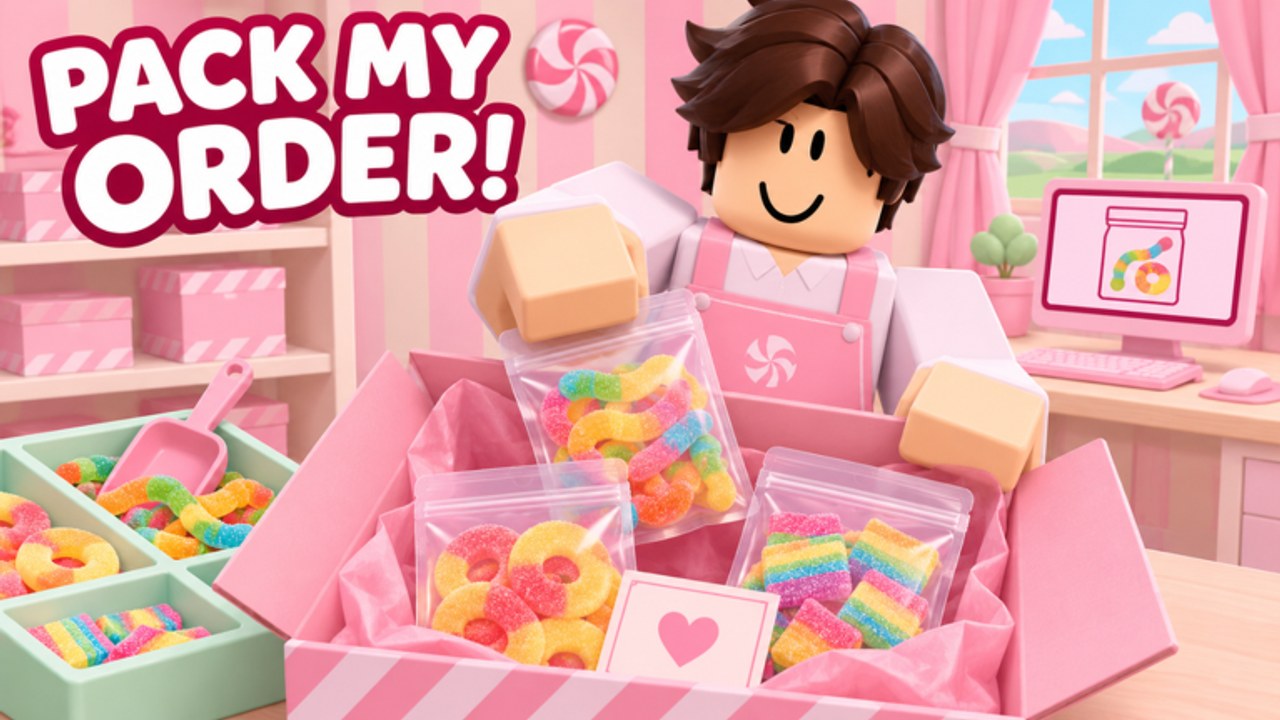
Part of the fun in My Candy Business is looking the part: design a logo, pick colours, customize bags, and decorate rooms your way as you grow from a bedroom shop into Content Studio, Candy Factory, and Warehouse space. This guide focuses on timing—when branding helps the fantasy without delaying the scoop → pack → post loop that actually pays tips.
For room unlock order and bottleneck matching, use Upgrades and Rooms and Mid-Game Rooms. Staffing comes first via the Helpers Guide. Cash discipline sits on Make Money Fast. All tutorials map from the Guides Hub.
Brand identity vs progression
Logo, colours, and bags are official customization pillars. They make parcels and rooms feel like your candy company. They are not a substitute for order capacity, scoop speed, packing quality, or helpers—especially offline helpers that earn while you are away.
Community priority guidance on the Tier List Hub places cosmetics in D tier for progression: buy them with surplus after S/A/B foundations and when the next room is not urgently needed. That ranking is not an official studio list; it matches the published loop and normal shop-sim pacing.
Brand when: tips are stable, at least one helper covers a weak station, and you have cash above the next capacity or staff purchase.
Wait if: VIP tickets idle while you recolor walls, candy wheels stay half-full, or you cannot afford a bagger or packer.
Logo: the face of the shop
Your logo is the identity mark across rooms and the packaging fantasy. Redesign when you have a clear colour story and spare cash—not every time a friend visits. Constant logo tweaking is a common procrastination loop that looks productive and earns nothing.
Tips:
- Pick a simple mark that still reads at small sizes on bags and UI
- Match logo colours to the palette you will reuse in Content Studio and the bedroom
- Freeze the logo for a week of real packing sessions before another redesign
- Spend jackpots from golden sweets or Surprise Scoop on throughput first, then logo flair (Surprise Scoop and VIP)
Colours: tie rooms together
A shared palette helps bedroom, Content Studio, Candy Factory, and Warehouse feel like one company instead of four unrelated sets. Choose colours after you know which rooms you will unlock soon, so you are not repainting everything after every door opens.
Keep paths readable. High-contrast floors that hide spill points or block helper pathing cost more than a slightly plainer theme. Function first, then flair—especially in Factory and Warehouse where travel distance matters.
Bags: packaging personality
Custom bags support the scoop-and-ship fantasy. They pair naturally with gift wraps and VIP showcase packs. Still, a stylish bag on a late, unlabeled box does not fix tip quality. Unlock bag styles when surplus exists; keep using correct fill, tape, and label habits from How to Pack Orders.
Room décor timing
Decorate in passes, not one giant furniture binge:
- Clear paths between scoop, candy wheel, pack, and post stations.
- Place signature pieces that do not block helpers.
- Theme each room—studio creative, factory industrial-sweet, warehouse tidy logistics—without turning walkways into mazes.
- Re-test a full order after each décor pass so you catch blocked pathing early.
If helpers stall after a furniture spree, simplify before blaming staff. Offline earnings depend on stations remaining reachable.
Bedroom shop
Early décor should be light: lighting, a poster, a small display—nothing that lengthens the scoop-to-post walk. Save showpiece builds for after your first helper.
Content Studio
Content Studio is the natural home for brand-forward décor once production is stable. Lean into logo walls and colour stories here after Factory or Warehouse pressure is understood—or when Studio itself is the intentional surplus sink. Details on when Studio fits your bottleneck live in Upgrades and Rooms.
Candy Factory and Warehouse
These rooms exist to scale production and logistics. Decorate edges and walls; keep machine and packing lanes open. A beautiful Warehouse that slows shipping is a warehouse that costs tips.
Suggested spend sequence (branding chapter)
- Stabilize packing and tips
- Hire helpers (bag / pack / ship, including offline)
- Raise capacity or unlock the room that matches your bottleneck
- Set logo + colour palette once
- Unlock bag styles you will actually use
- Run décor passes room by room
- Host a friend visit night to show the brand and collect hearts (Friends and Shop Visits)
This sequence keeps identity work inside the empire fantasy without creating a pretty, broke shop.
Social upside of a finished look
Friends touring your shop see the brand. Hearts and future invites come easier when the space feels intentional. That social loop boosts orders when those friends join your server—see the Players Hub. Décor therefore has soft economy value, but only after the hard systems (scoop, pack, helpers) already work.
Common branding mistakes
- Spending the first big tip pile on furniture before any helper
- Blocking candy wheels with display cases
- Redesigning the logo daily instead of clearing rush boards
- Unlocking every cosmetic kit while Warehouse congestion is ignored
- Assuming VIP customers require max décor—they require careful, timely packs
After the brand is set
Operate: keep wheels complete, protect VIP packs, use friend boosts, and let helpers carry offline hours. Revisit décor when a new room opens or a seasonal candy theme drops—check Updates after patches. Codes remain without confirmed public actives as of the November 2026 research pass; if free cosmetics appear later, track them on the Codes Hub.
Build a logo, colours, bags, and rooms you are proud of—after the line that pays for them is staffed and fast. That is how branding in My Candy Business stays joyful instead of expensive procrastination.
Frequently Asked Questions
Quick answers to the most common questions.
When should I design my logo and bags?
After tips are stable and you can afford helpers or capacity upgrades first. Use surplus cash for branding so progression does not stall.
Do decorations increase tips directly?
Tips still come from clean posted packs. Décor supports identity and shop visits; it should not replace scoop, pack, or helper spends.
Which room should I decorate first?
Keep the bedroom path clear early. Put brand-forward décor in Content Studio once production is stable, and keep Factory/Warehouse lanes open.
Why do helpers stop working after I decorate?
Furniture may block pathing. Simplify layouts, re-test a full order, then re-add signature pieces carefully.
Where do room unlock priorities live?
See Upgrades and Rooms and Mid-Game Rooms for Content Studio, Candy Factory, and Warehouse timing.